
How to get client ID, site ID & auth key in Tactical RMM
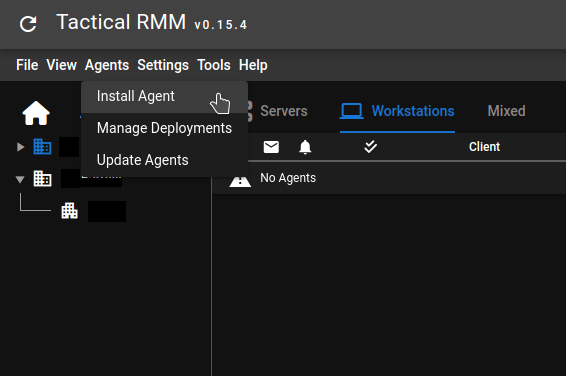
In order to get the Client ID, Site ID and authkey for manual installation of a tactical RMM client, click on the Agents menu and click Install Agent:
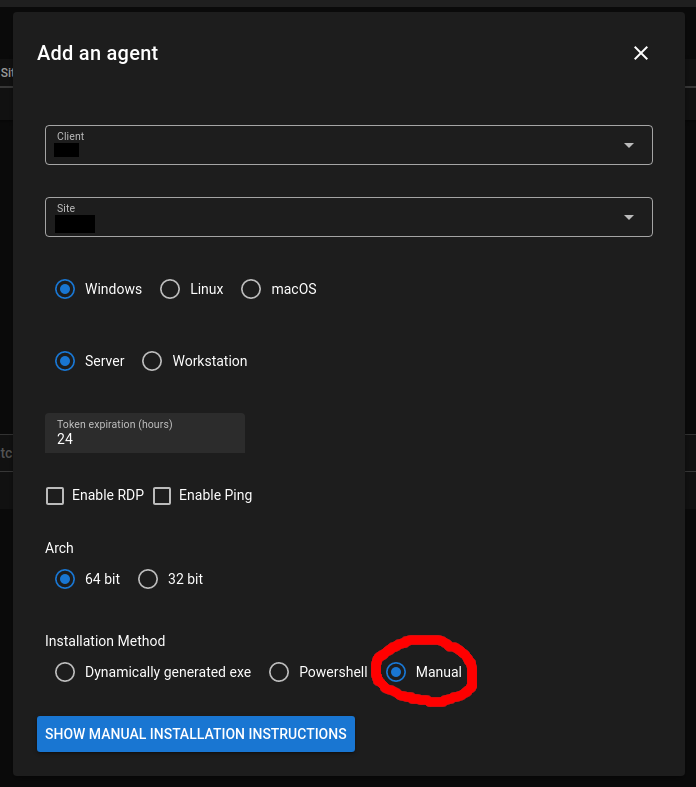
This will open the Install Agent window. Leave Windows selected even if you are installing for Linux! Select Manual install at the bottom
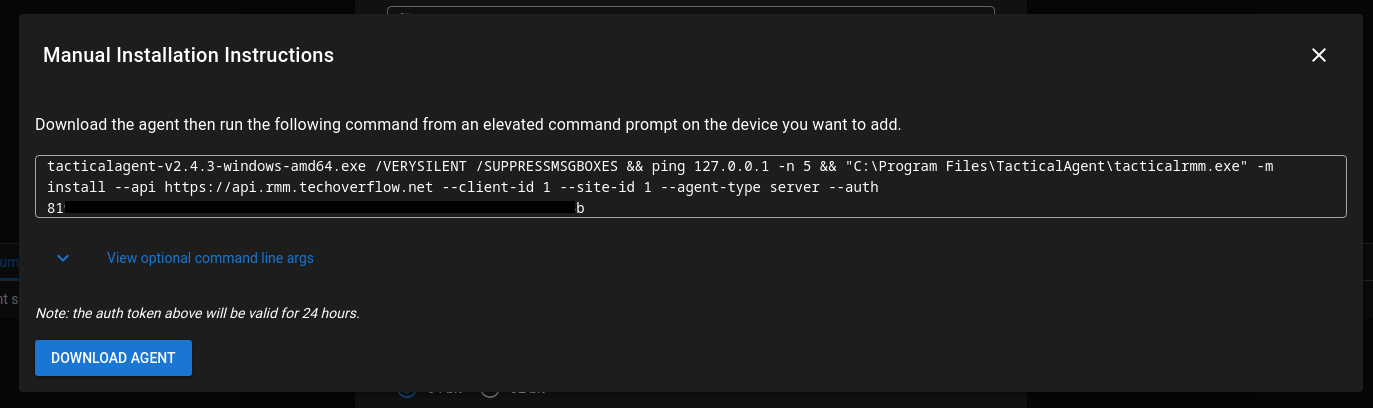
After you click Show manual installation instructions, you will see the following window, from which you can copy & paste the Client ID, Site ID and authkey :
Check out similar posts by category:
Networking, Tactical RMM
If this post helped you, please consider buying me a coffee or donating via PayPal to support research & publishing of new posts on TechOverflow