How to use Stäubli TX60/TX90/TX2-60/TX2-90 ROS packages
In this guide, we will walk you through the steps to use the Stäubli TX60, TX90, TX2-60, and TX2-90 ROS packages for robotic applications. These packages provide essential tools and functionalities to interface with Stäubli robots using the Robot Operating System (ROS).
NOTE: The ROS support for these robots is very experimental and may not cover all features or be stable. Use at your own risk.
The relevant repositories are staubli_experimental and staubli (the latter one is just for support packages).
Currently, the main branch of this repo only supports ROS1 Noetic. If you want to use ROS2, this post is not for you.
Dockerfile
First, we create the Dockerfile to set up the environment. Create a file named Dockerfile with the following content:
# Use the official ROS 1 Noetic image
FROM ros:noetic

RUN apt-get update && apt-get install -y \
    git \
    python3-catkin-tools \
    python3-rosdep \
    # Common ROS tools and libraries that rosdep keys refer to
    ros-noetic-roslaunch \
    ros-noetic-catkin \
    ros-noetic-xacro \
    ros-noetic-rviz \
    ros-noetic-joint-state-publisher-gui \
    ros-noetic-moveit \
    ros-noetic-ros-control \
    ros-noetic-ros-controllers \
    ros-noetic-gazebo-ros \
    ros-noetic-gazebo-ros-control \
    && rm -rf /var/lib/apt/lists/*

# Initialize rosdep (ROS 1)
RUN rosdep update

# Create a catkin workspace
RUN mkdir -p /catkin_ws/src
WORKDIR /catkin_ws

# Clone the main Staubli repository (contains staubli_resources) into the workspace
RUN git clone https://github.com/ros-industrial/staubli.git src/staubli

# Clone the staubli_experimental repository (ROS 1 support packages)
RUN git clone https://github.com/ros-industrial/staubli_experimental.git src/staubli_experimental

# Optionally install dependencies using rosdep (non-fatal if some keys are missing)
RUN rosdep install --from-paths src --ignore-src -y || echo "rosdep could not resolve some keys; proceeding because core dependencies are already installed."

# Build the workspace (allow staubli_rx160_moveit_plugins to fail, but continue)
RUN . /opt/ros/noetic/setup.sh && \
    catkin build --continue-on-failure || echo "catkin build completed with some package failures (e.g. staubli_rx160_moveit_plugins), but core support and resources built."

# Source the workspace
ENV source="/catkin_ws/devel/setup.bash"

# Copy helper scripts into the image
COPY generate_all_urdfs.sh /usr/local/bin/generate_all_urdfs.sh
RUN chmod +x /usr/local/bin/generate_all_urdfs.sh

CMD ["bash"]Additionally, create generate_all_urdfs.sh with the following content to generate URDF files for all supported robots:
#!/usr/bin/env bash
set -euo pipefail

# Generate URDFs for all Staubli experimental robots using xacro.
# Assumes ROS and the catkin workspace are already sourced, e.g.:
#   source /opt/ros/noetic/setup.bash
#   source /catkin_ws/devel/setup.bash

out_dir="${1:-/tmp/staubli_urdfs}"
mkdir -p "${out_dir}"

echo "Writing URDFs to: ${out_dir}"

# staubli_tx60_gazebo (only top-level xacros, macros are internal)
xacro "$(rospack find staubli_tx60_gazebo)/urdf/tx60.xacro"  > "${out_dir}/tx60_gazebo.urdf"
xacro "$(rospack find staubli_tx60_gazebo)/urdf/tx60l.xacro" > "${out_dir}/tx60l_gazebo.urdf"

# staubli_tx60_support
xacro "$(rospack find staubli_tx60_support)/urdf/tx60.xacro"  > "${out_dir}/tx60_support.urdf"
xacro "$(rospack find staubli_tx60_support)/urdf/tx60l.xacro" > "${out_dir}/tx60l_support.urdf"

# staubli_tx2_60_support
xacro "$(rospack find staubli_tx2_60_support)/urdf/tx2_60.xacro"  > "${out_dir}/tx2_60.urdf"
xacro "$(rospack find staubli_tx2_60_support)/urdf/tx2_60l.xacro" > "${out_dir}/tx2_60l.urdf"

# staubli_tx2_90_support
xacro "$(rospack find staubli_tx2_90_support)/urdf/tx2_90.xacro"  > "${out_dir}/tx2_90.urdf"
xacro "$(rospack find staubli_tx2_90_support)/urdf/tx2_90l.xacro" > "${out_dir}/tx2_90l.urdf"
xacro "$(rospack find staubli_tx2_90_support)/urdf/tx2_90xl.xacro" > "${out_dir}/tx2_90xl.urdf"

# staubli_tx90_support
xacro "$(rospack find staubli_tx90_support)/urdf/tx90.xacro"  > "${out_dir}/tx90_support.urdf"
xacro "$(rospack find staubli_tx90_support)/urdf/tx90l.xacro" > "${out_dir}/tx90l_support.urdf"
xacro "$(rospack find staubli_tx90_support)/urdf/tx90xl.xacro" > "${out_dir}/tx90xl_support.urdf"

# staubli_rx160_gazebo
xacro "$(rospack find staubli_rx160_gazebo)/urdf/rx160.xacro"  > "${out_dir}/rx160_gazebo.urdf"
xacro "$(rospack find staubli_rx160_gazebo)/urdf/rx160l.xacro" > "${out_dir}/rx160l_gazebo.urdf"

echo "All Staubli experimental URDFs generated successfully."From the root of this workspace (where the Dockerfile lives), now run:
docker build -t staubli-noetic .In order to get into a ROS1 shell:
docker run --rm -it staubli-noetic bash -lc "source /opt/ros/noetic/setup.bash && source /catkin_ws/devel/setup.bash && bash"URDF generation
From your host, in the workspace root (where the Dockerfile lives), run:
docker run --rm \
    -v "$PWD":/out \
    staubli-noetic bash -lc "\
        source /opt/ros/noetic/setup.bash && \
        source /catkin_ws/devel/setup.bash && \
        generate_all_urdfs.sh /tmp/staubli_urdfs && \
cp /tmp/staubli_urdfs/*.urdf /out/"This command will generate the URDF files for all supported Stäubli robots and copy them to your current directory on the host.
If you want to manually generate URDFs for a specific robot, you can run a command like this (example for TX90) in the container:
xacro $(rospack find staubli_tx60_gazebo)/urdf/tx60.xacro > /tmp/tx60_gazebo.urdfRunning Gazebo
On your host, allow local X clients and expose your display to the container (Linux):
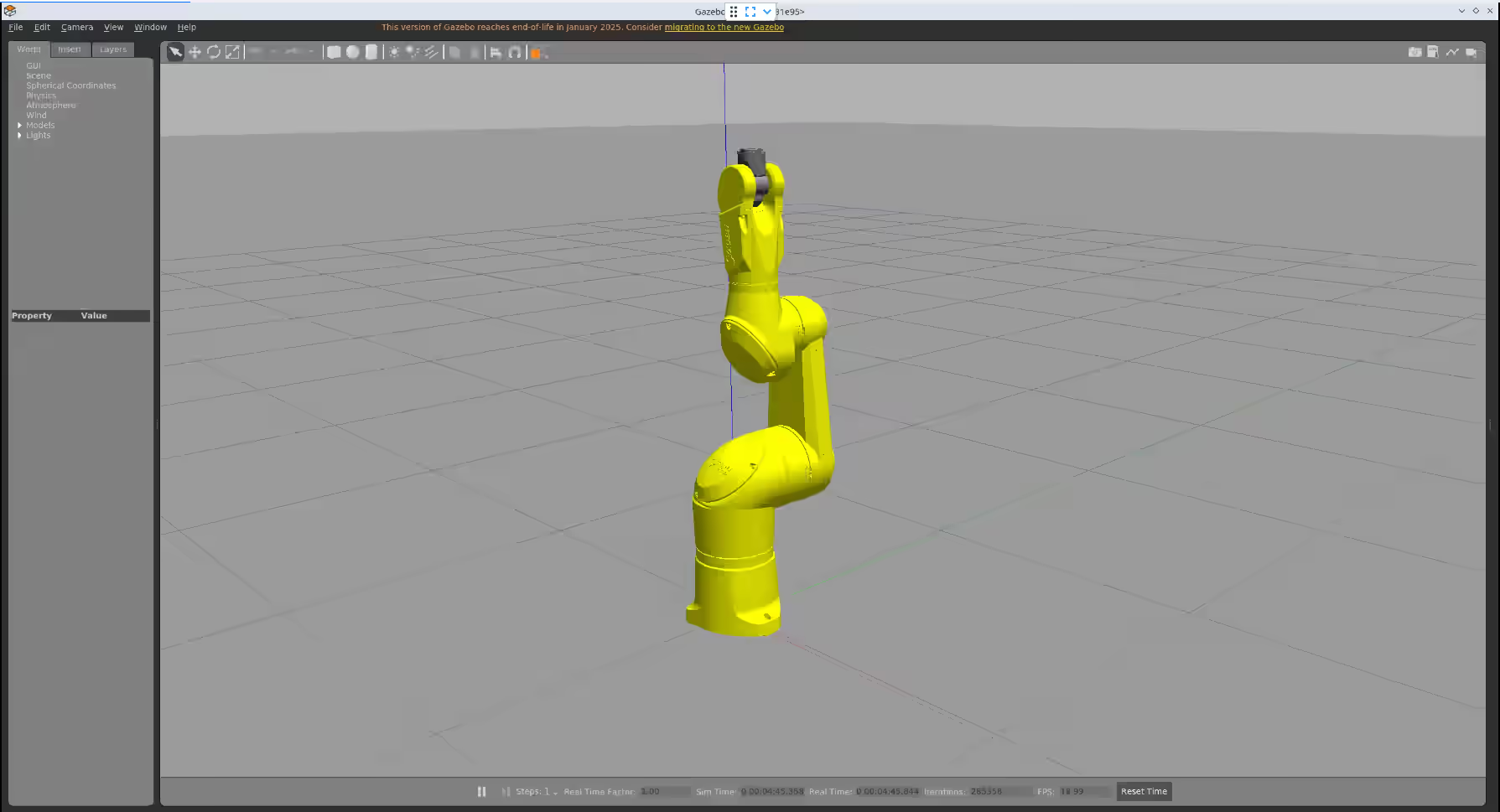
xhost +local:rootThen start a container with X forwarding and launch the TX90 Gazebo demo (correct launch file is tx90_gazebo.launch):
docker run --rm \
    -e DISPLAY=$DISPLAY \
    -e QT_X11_NO_MITSHM=1 \
    -v /tmp/.X11-unix:/tmp/.X11-unix:rw \
    staubli-noetic bash -lc "\
        source /opt/ros/noetic/setup.bash && \
        source /catkin_ws/devel/setup.bash && \
roslaunch staubli_tx90_gazebo tx90_gazebo.launch"This should open Gazebo on your host with the TX90 robot loaded.