
Minimalbeispiel für geodätische Linie mit Cartopy
English
Deutsch
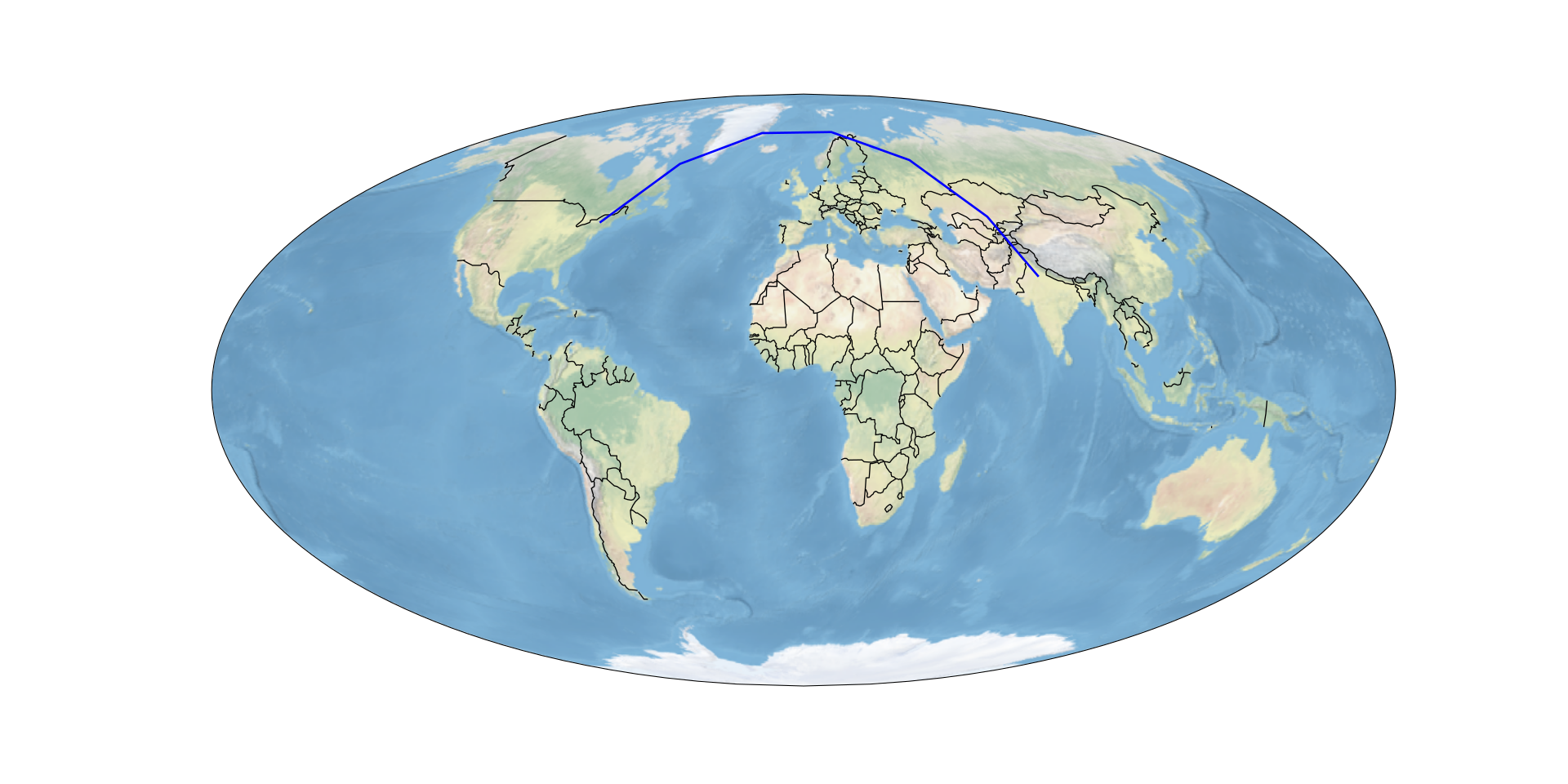
Dieses Minimalbeispiel zeigt, wie man eine geodätische Linie zwischen zwei Punkten zeichnet. Es basiert eng auf der Cartopy-mit-matplotlib-Einführung.
minimal-geodetic-example-using-cartopy.py
import cartopy.crs as ccrs
import cartopy.feature as cf
from matplotlib import pyplot as plt
ax = plt.axes(projection = ccrs.Mollweide())
ax.stock_img()
ax.add_feature(cf.BORDERS)
# Geodäte zwischen zwei Punkten hinzufügen
# Format: plot([lon1, lon2], [lat1, lat2])
plt.plot([-75, 77.23], [43, 28.61],
         color='blue', linewidth=2,
         transform=ccrs.Geodetic()
         )
Vollständiger Beispielcode
Dieser Code reproduziert das oben gezeigte Bild:
minimal-geodetic-complete.py
import cartopy.crs as ccrs
import cartopy.feature as cf
ax = plt.axes(projection = ccrs.Mollweide())
ax.stock_img()
ax.add_feature(cf.BORDERS)
# Geodäte zwischen zwei Punkten hinzufügen
# Format: plot([lon1, lon2], [lat1, lat2])
plt.plot([-75, 77.23], [43, 28.61],
         color='blue', linewidth=2,
         transform=ccrs.Geodetic()
         )
# Abbildung vergrößern
plt.gcf().set_size_inches(20, 10)

# Abbildung als SVG speichern
plt.savefig("Cartopy-Geodetic.svg")If this post helped you, please consider buying me a coffee or donating via PayPal to support research & publishing of new posts on TechOverflow