
Wo die MPLab X PIC32-Heap-Größe festgelegt wird
English
Deutsch
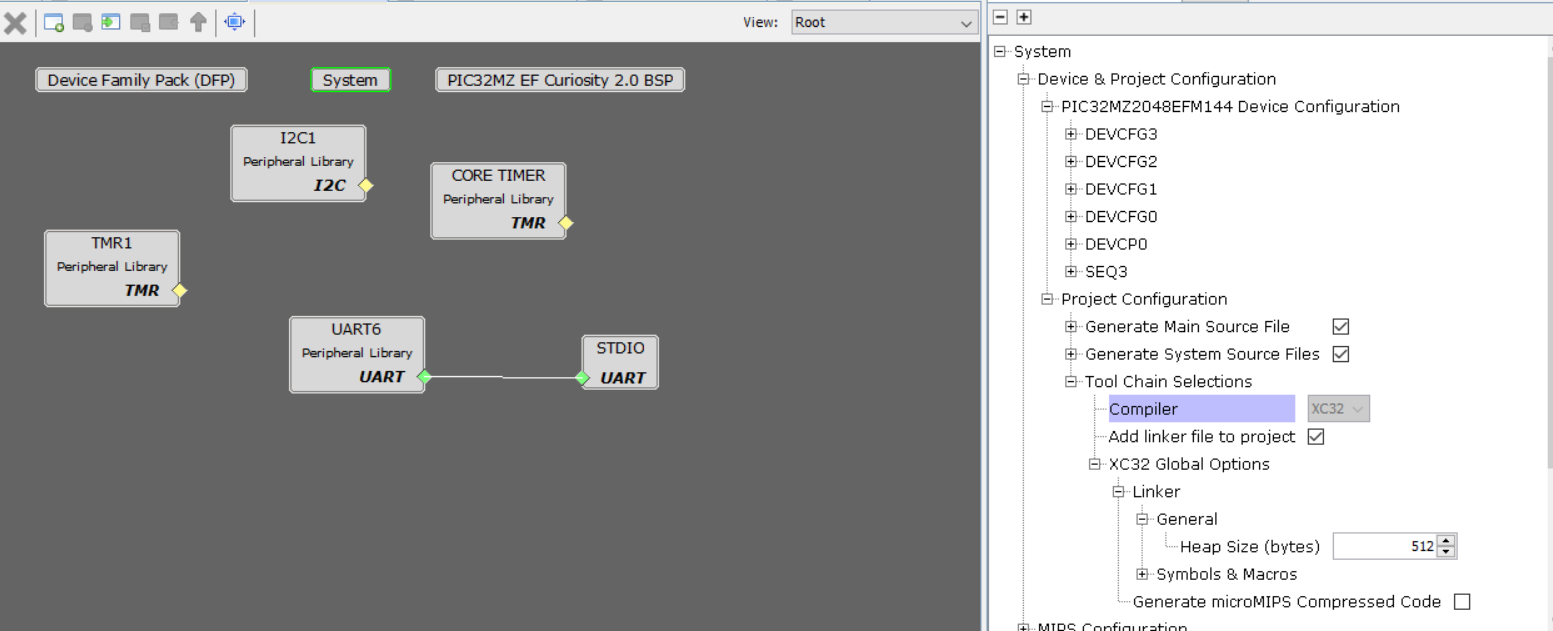
Um die Heap-Größe festzulegen, MPLab Harmony 3 verwenden, auf System im Project Graph klicken, dann den Baum wie folgt öffnen:
- Device & Project configuration
- Project configuration
- Tool Chain Selections
- XC32 Global Options
- Linker
- General
und Heap Size (bytes) auf den gewünschten Wert setzen.
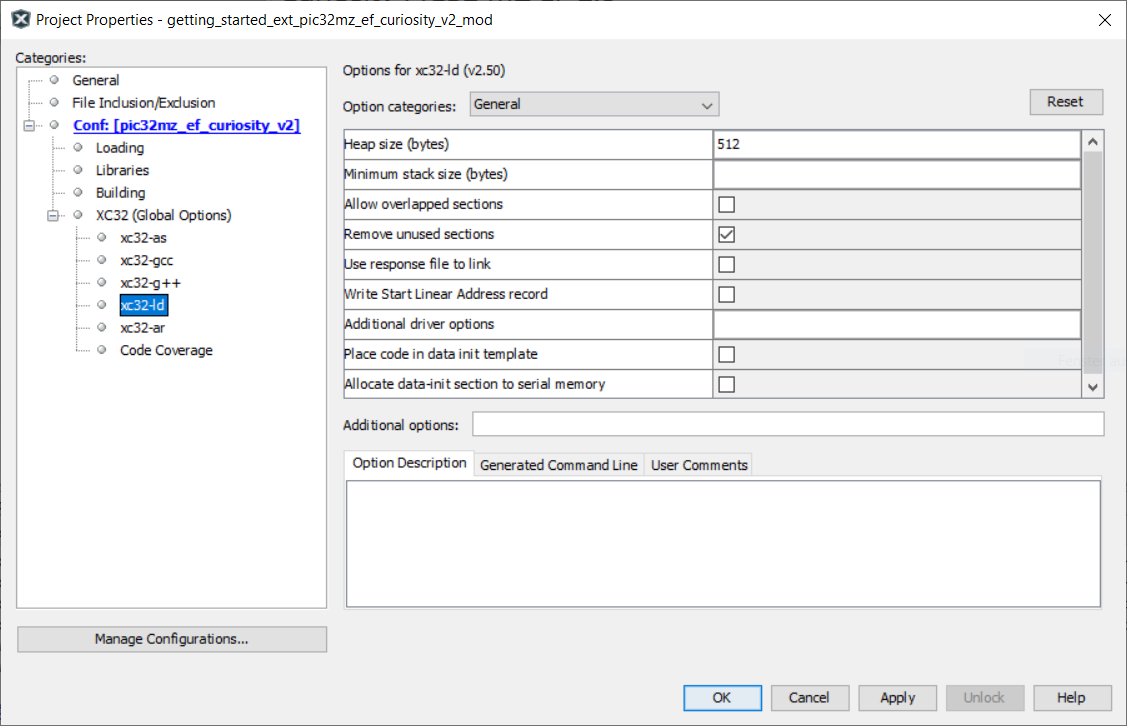
Zusätzlich muss die Heap-Größe in den Project Options => XC32 Options => xc32-ld Options festgelegt werden:
Check out similar posts by category:
Electronics, Embedded
If this post helped you, please consider buying me a coffee or donating via PayPal to support research & publishing of new posts on TechOverflow