
Tactical RMM: Client ID, Site ID & Auth Key finden
English
Deutsch
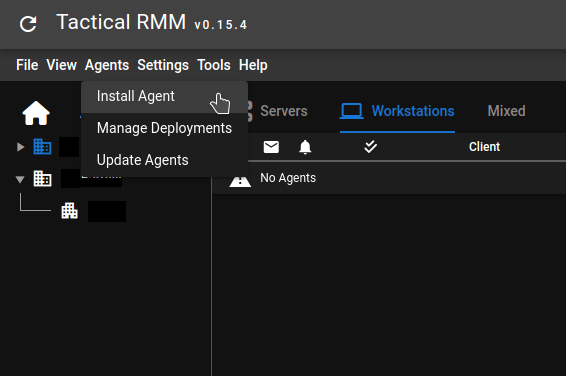
Um die Client ID, Site ID und den authkey für die manuelle Installation eines Tactical RMM-Clients zu erhalten, klicke auf das Agents-Menü und klicke auf Install Agent:
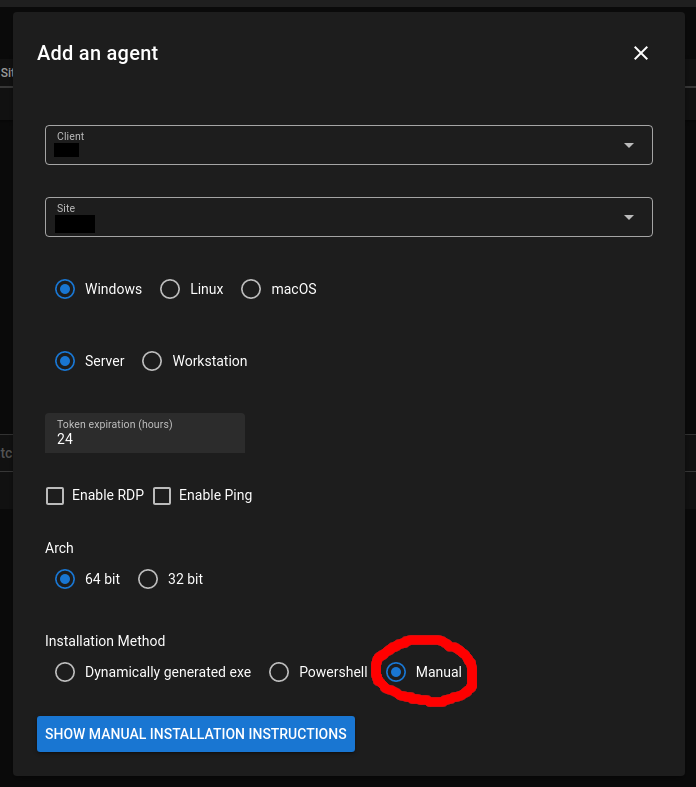
Dies öffnet das Install Agent-Fenster. Lass Windows ausgewählt, auch wenn du für Linux installierst! Wähle Manual-Installation unten
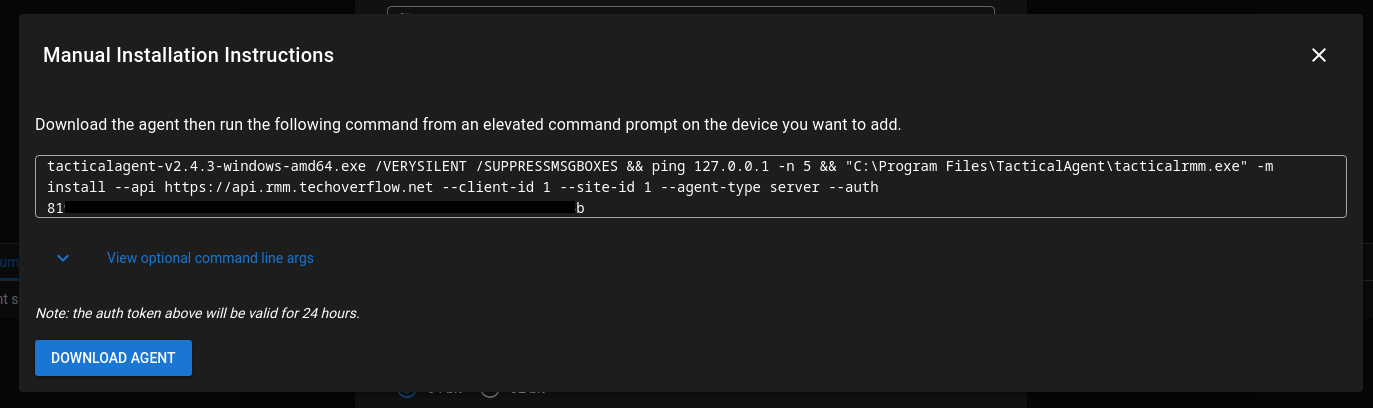
Nach dem Klicken auf Show manual installation instructions siehst du das folgende Fenster, aus dem du die Client ID, Site ID und den authkey kopieren & einfügen kannst:
Check out similar posts by category:
Networking, Tactical RMM
If this post helped you, please consider buying me a coffee or donating via PayPal to support research & publishing of new posts on TechOverflow