
Adafruit ST7735R TFT-Display minimales Text-Beispiel für PlatformIO
Dieses Beispiel baut auf der Hardware- & Software-Einrichtung auf, die in Minimales ESP32 PlatformIO TFT-Display-Beispiel mit Adafruit ST7735 beschrieben ist. Siehe dort für das PlatformIO-Beispiel & die Hardware-Einrichtung.
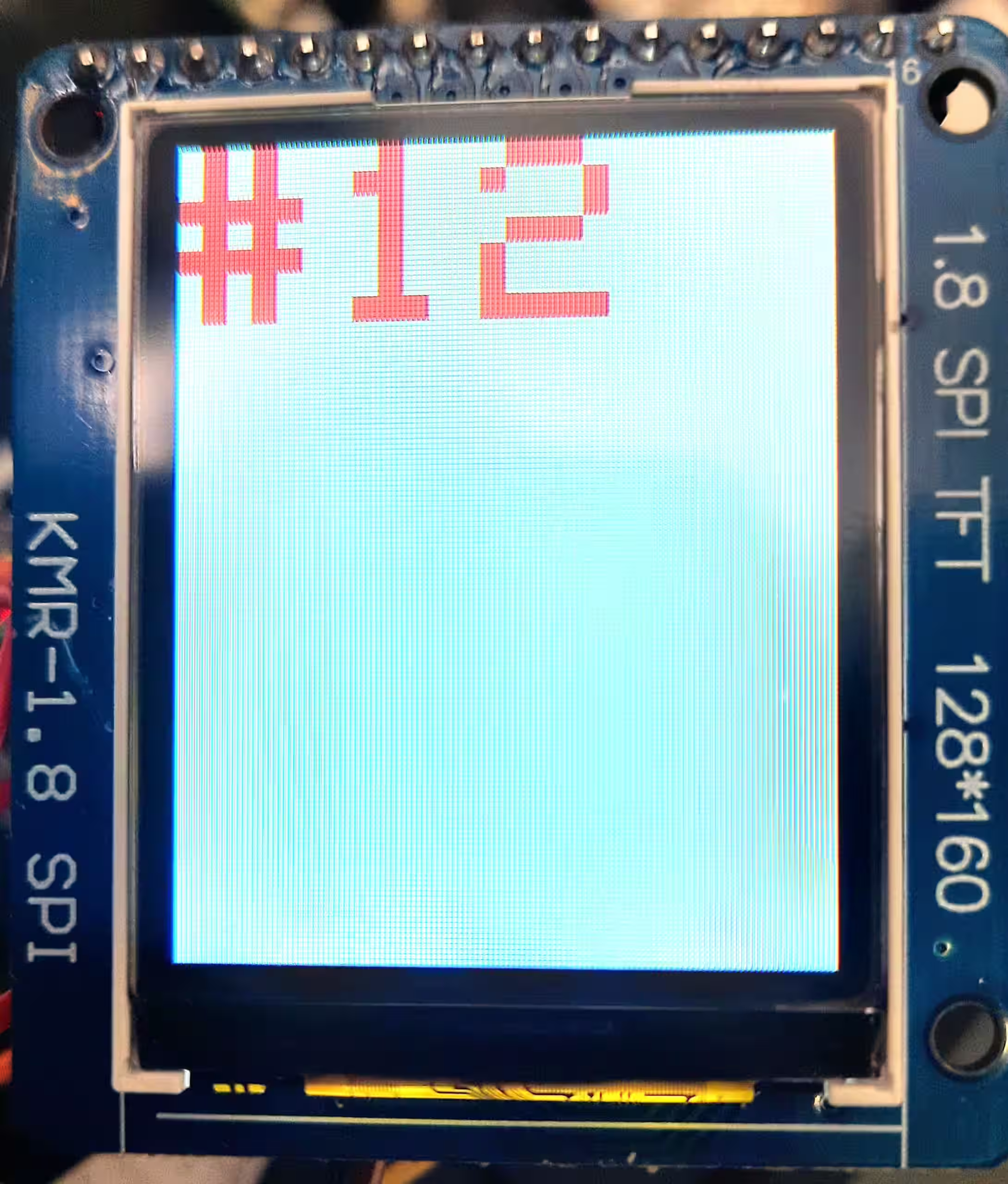
Unser Code zeigt einen Zähler auf dem Display an, der jede Sekunde aktualisiert wird. Nur das Rechteck der letzten Textzeichnung wird gelöscht, was viel schnellere Bildschirmaktualisierungen ermöglicht, als wenn der gesamte Bildschirm gelöscht wird. Diese Technik ermöglicht es Ihnen auch, flexibel nur einen Teil des Bildschirms zu aktualisieren, anstatt bei jeder Aktualisierung alle anderen Segmente neu zu zeichnen.
st7735_counter_example.cpp
#include <string>
#include <Arduino.h>
#include <Adafruit_GFX.h>
#include <Adafruit_ST7735.h>
#include <string>

constexpr int Pin_LCD_CS = 27;
constexpr int Pin_LCD_DC = 23;
constexpr int Pin_LCD_RST = 22;
constexpr int Pin_LCD_SCLK = 14;
constexpr int Pin_LCD_MISO = 12;
constexpr int Pin_LCD_MOSI = 13;

Adafruit_ST7735 lcd(Pin_LCD_CS, Pin_LCD_DC, Pin_LCD_MOSI, Pin_LCD_SCLK,
                                 Pin_LCD_RST);

uint16_t backgroundColor = ST7735_WHITE;
uint16_t textColor = ST7735_RED;

void setup() {
  lcd.initR(INITR_BLACKTAB);      // Init ST7735S chip, black tab
  lcd.enableDisplay(true);        // Enable display
  // Fill screen with background color
  lcd.fillScreen(backgroundColor);
}

uint32_t counter = 0;

/**
 * The rectangle to clear the previous text
 * This is computed
 *
 * @return int
 */
struct Rect {
  int16_t x1;
  int16_t y1;
  uint16_t w;
  uint16_t h;
};
Rect lastTextRect;

void loop() {
  // The text we'll draw
  std::string text = "#" + std::to_string(counter);

  // Clear previous text
  if(!lastTextRect.w == 0 || !lastTextRect.h == 0) {
    lcd.fillRect(
      lastTextRect.x1,
      lastTextRect.y1,
      lastTextRect.w,
      lastTextRect.h,
      backgroundColor
    );
  }

  // Set position & parameters
  lcd.setCursor(0, 0);
  lcd.setTextColor(textColor);
  lcd.setTextWrap(true);
  lcd.setTextSize(5);

  // Compute bounding box of text text we'll draw
  // (so we can clear it later)
  lcd.getTextBounds(
    text.c_str(),
    lcd.getCursorX(),
    lcd.getCursorY(),
    &lastTextRect.x1,
    &lastTextRect.y1,
    &lastTextRect.w,
    &lastTextRect.h
  );

  lcd.print(text.c_str());
  delay(1000);
  counter++;
}platformio.ini
[env:esp32dev]
platform = espressif32
board = esp32dev
framework = arduino
lib_deps =
    adafruit/Adafruit GFX Library@^1.11.5
adafruit/Adafruit ST7735 and ST7789 Library@^1.10.0Check out similar posts by category:
Arduino, PlatformIO
If this post helped you, please consider buying me a coffee or donating via PayPal to support research & publishing of new posts on TechOverflow