


El siguiente ejemplo generará pulsos de 100us cada 10ms. Los pulsos son generados usando el periférico RMT.
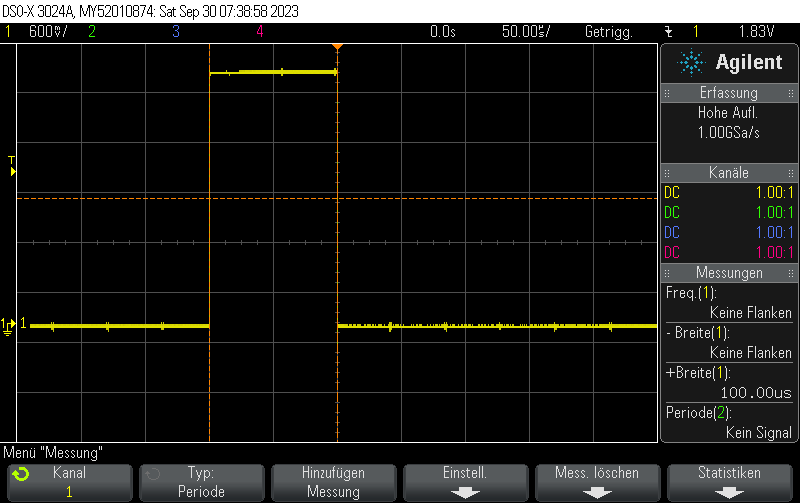
esp32_rmt_pulse.cpp
#include <Arduino.h>
#include <esp_log.h>
#include <driver/rmt.h>

// Tren de pulsos de salida en D14
constexpr gpio_num_t rmtPin = GPIO_NUM_14;
constexpr rmt_channel_t RMT_TX_CHANNEL = RMT_CHANNEL_0;


static const rmt_item32_t pulseRMT[] = {
    {{{
      /*pulse duration=*/100, /*pulse level*/1,
      // Después del pulso, salida 0
      0, 0
    }}},
};


void setup() {
  Serial.begin(115200);

  rmt_config_t config = RMT_DEFAULT_CONFIG_TX(rmtPin, RMT_TX_CHANNEL);
  config.clk_div = 80; // reloj de entrada 80 MHz => reloj de salida 1 MHz

  ESP_ERROR_CHECK(rmt_config(&config));
  ESP_ERROR_CHECK(rmt_driver_install(config.channel, 0, 0));

}

void loop() {
  ESP_ERROR_CHECK(rmt_write_items(RMT_TX_CHANNEL, pulseRMT, sizeof(pulseRMT) / sizeof(rmt_item32_t), true));
  delay(10);
}
platformio.ini
[env:esp32dev]
platform = espressif32
board = esp32dev
framework = arduino
monitor_speed = 115200
Echa un vistazo a artículos similares por categoría:
Arduino C/C++ ESP8266/ESP32 PlatformIO
Si este artículo te ha ayudado, considera invitarme a un café o hacer una donación vía PayPal para apoyar la investigación y publicación de nuevos artículos en TechOverflow
