
我运行的是哪个版本的 Windows 10?15 秒内查明!
要查明你运行的是哪个版本和构建的 Windows 10,首先按 Windows 键 + R。 这将打开命令提示符:
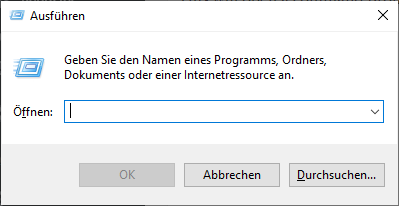
在该对话框中,输入 winver:
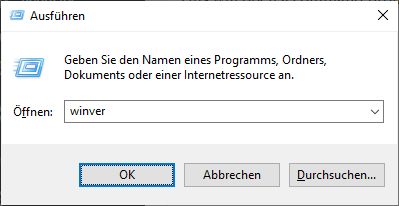
现在按 Enter(也称为 Return)。这将打开版本信息窗口,例如:
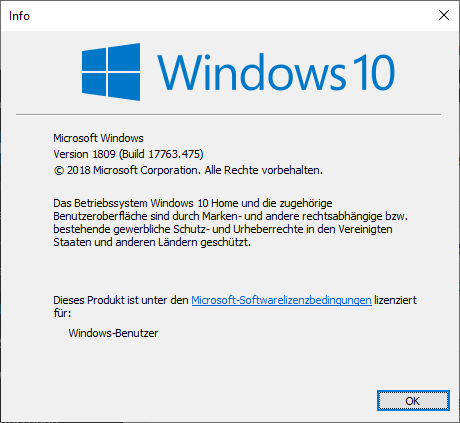
在该窗口中,你可以立即看到你运行的版本和构建,以红色突出显示:

在我的情况下是 版本 1809 和 构建 17763.475。
Check out similar posts by category:
Windows
If this post helped you, please consider buying me a coffee or donating via PayPal to support research & publishing of new posts on TechOverflow