
如何在 Oracle Cloud 上禁用虚拟云网络防火墙
在 Oracle Cloud 上运行 VM 实例时,你可能想使用所有端口,而不仅仅是默认开放的几个端口。这篇文章展示如何完全禁用虚拟云网络防火墙。此外,你需要通过 SSH 等方式配置实例防火墙。对于 Ubuntu,请参见如何在 Oracle Cloud 上的 Ubuntu 上禁用实例防火墙。
你需要使用 firefox 访问 UI。在 chrome 中不工作!
首先登录到云网络仪表板 https://cloud.oracle.com/networking/vcns
现在点击虚拟云网络:

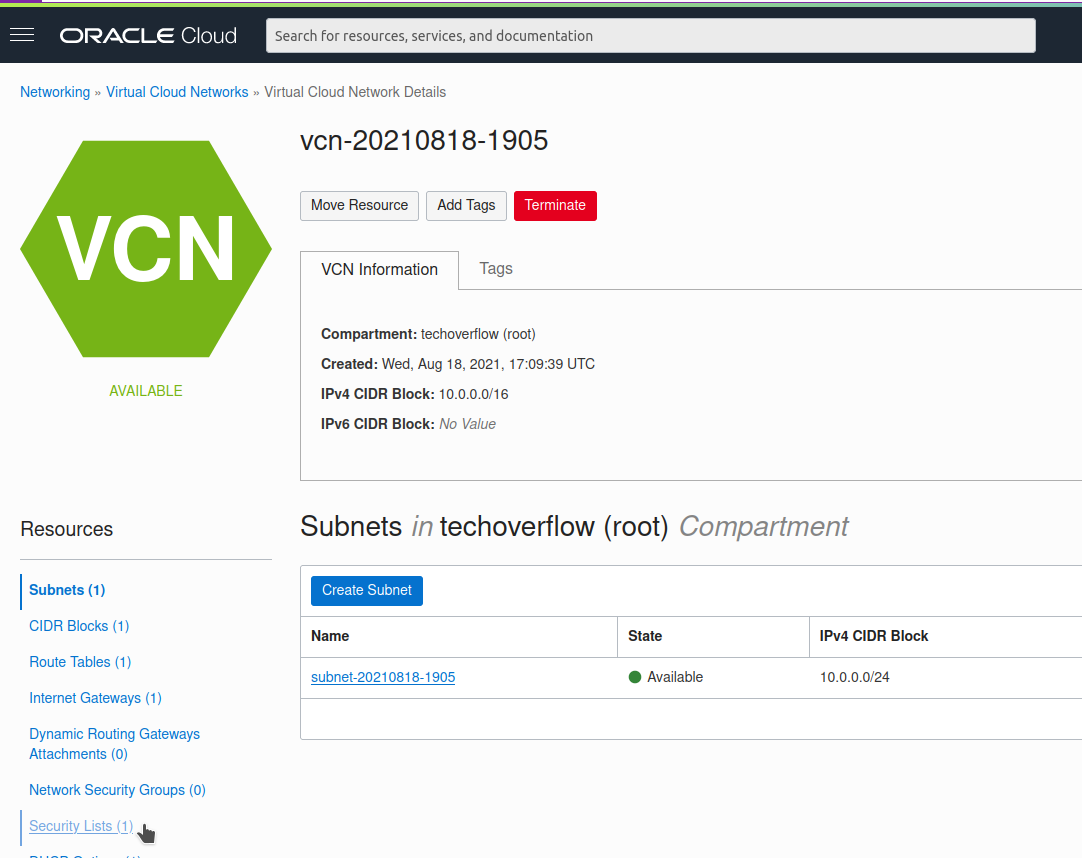
现在点击左下角的Security lists:
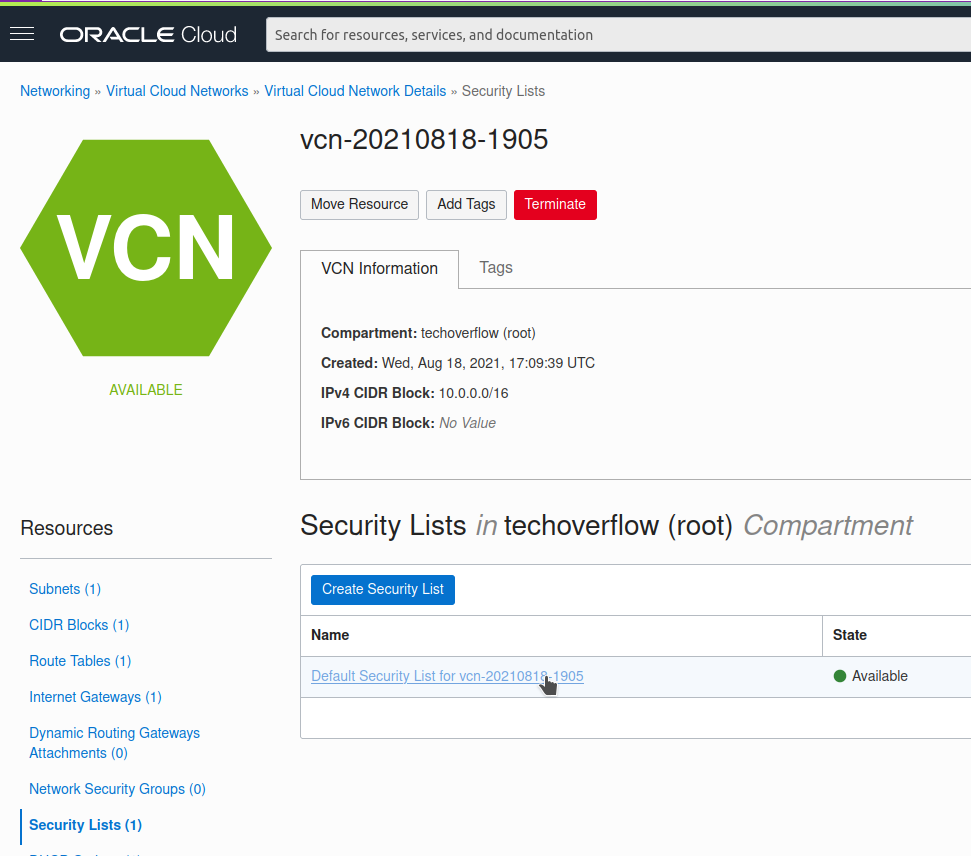
点击Default security list(已自动创建)
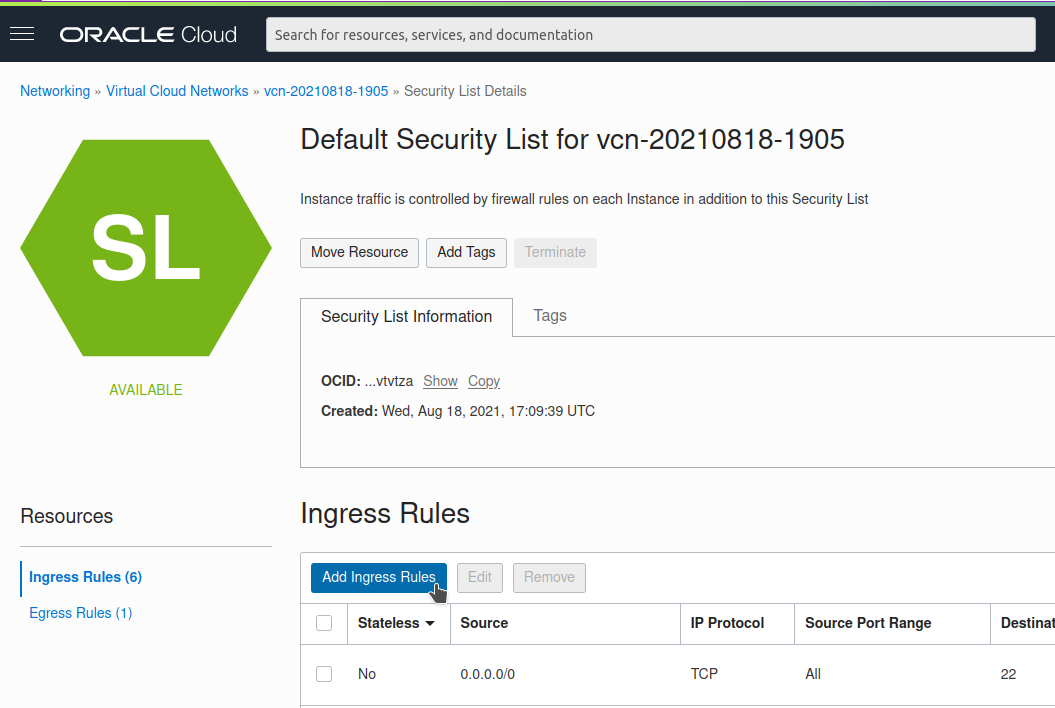
点击Add Ingress Rules
输入源 0.0.0.0/0(即所有 IP 地址)和 IP 协议 All protocols:
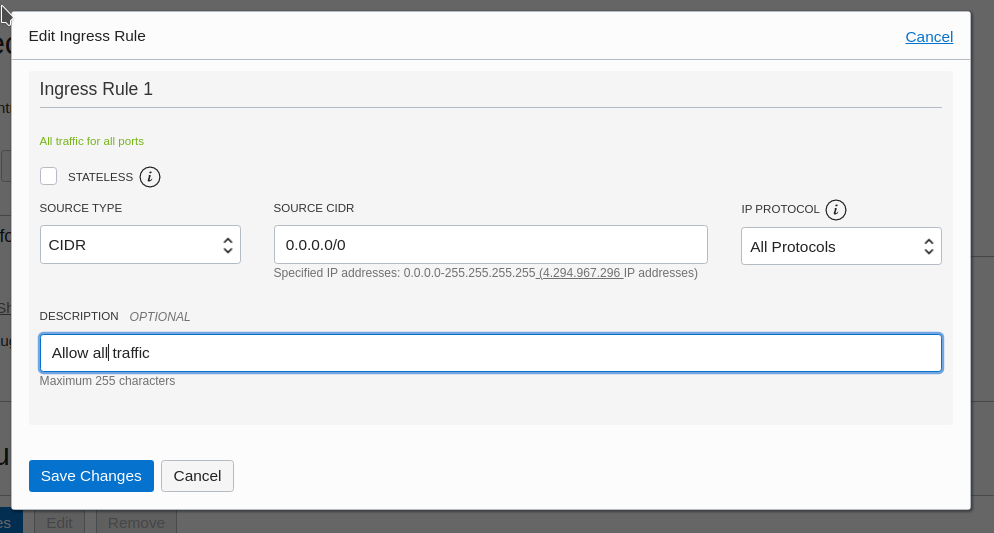
现在点击Save changes,不要忘记配置你的实例防火墙
Check out similar posts by category:
Cloud, Networking
If this post helped you, please consider buying me a coffee or donating via PayPal to support research & publishing of new posts on TechOverflow