
如何导入 SSH 密钥到 MikroTik RouterOS 以实现无密码登录
重要:截至 RouterOS 7.9,你不能使用椭圆曲线密钥(使用 ed25519 测试)- RSA 密钥可以工作!
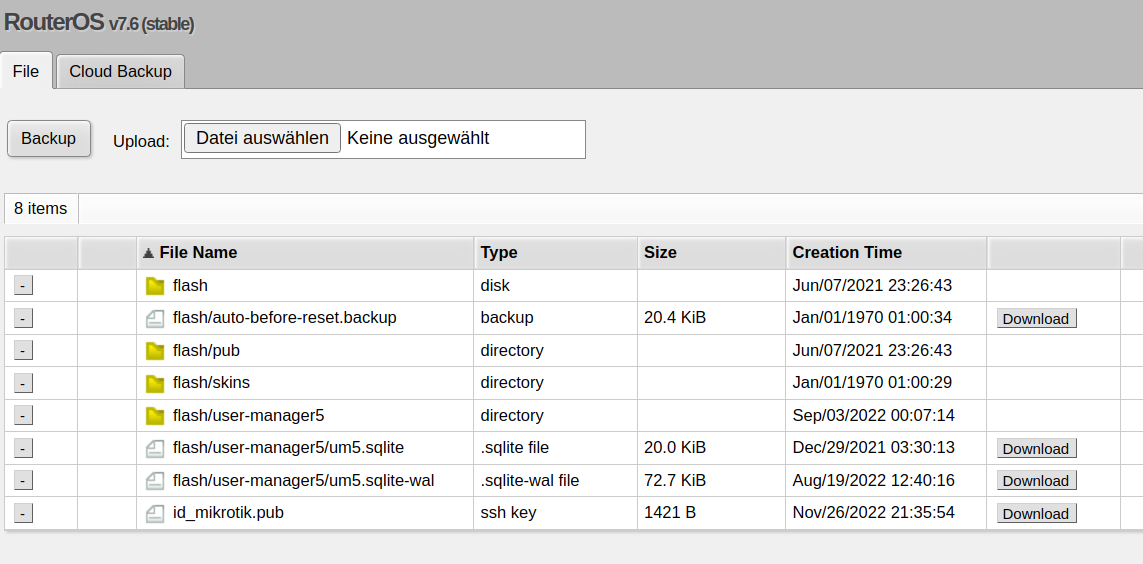
首先,使用 Files 将公钥上传到路由器的文件系统 - 在下图中,SSH 密钥列在底部:
使用终端:
import_ssh_key.rsc
/user/ssh-keys/import user=admin public-key-file=id_mikrotik.pub使用 WebFig 或 WinBox:
现在转到 System -> Users,打开 SSH keys 标签:
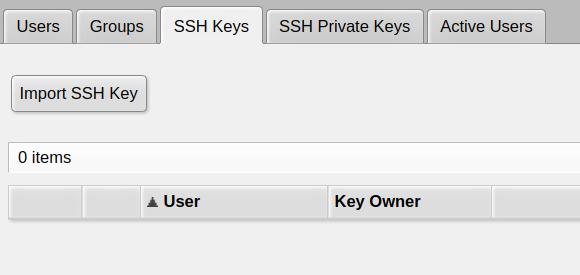
在那里,点击 Import SSH Key
打开你要为其添加公钥的用户(如果你之前没有创建其他用户,通常是 admin):
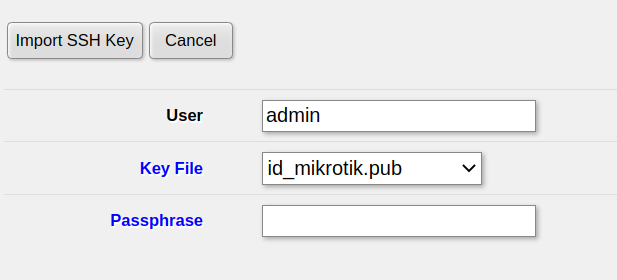 然后点击
然后点击 Import SSH Key,密钥将立即激活
Check out similar posts by category:
MikroTik, Networking
If this post helped you, please consider buying me a coffee or donating via PayPal to support research & publishing of new posts on TechOverflow