
如何在 Tactical RMM 中获取客户端 ID、站点 ID 和认证密钥
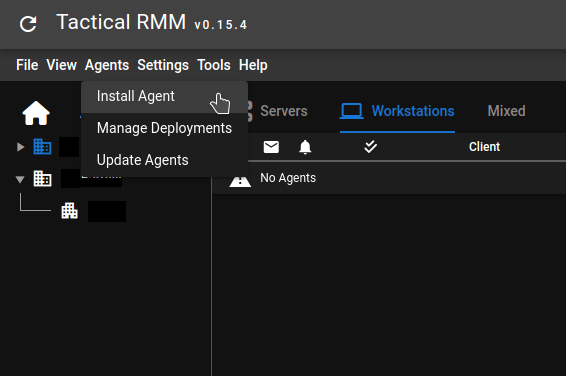
要获取手动安装 tactical RMM 客户端的 Client ID、Site ID 和 authkey,点击 Agents 菜单并点击 Install Agent:
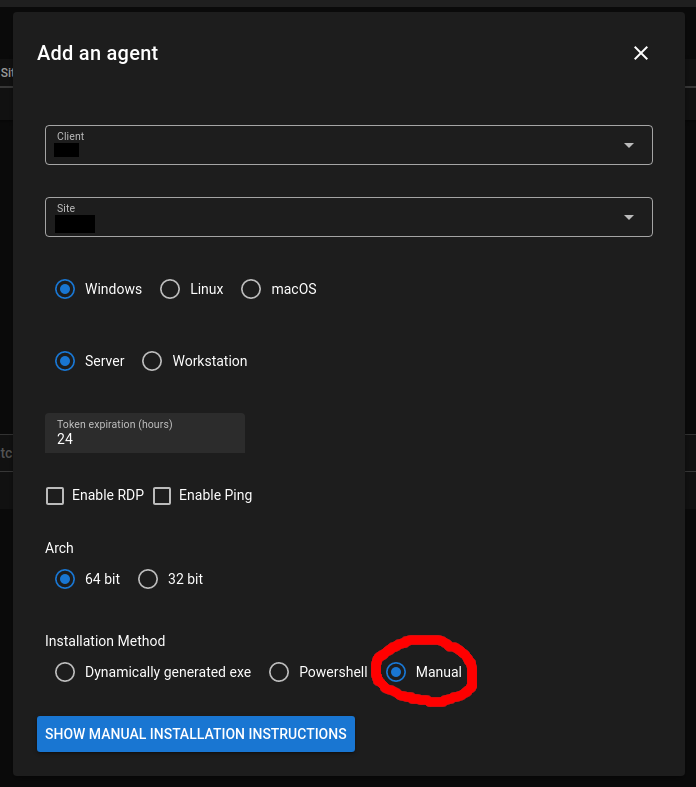
这将打开 Install Agent 窗口。**即使你为 Linux 安装,也保留 Windows 选中!**在底部选择 Manual 安装
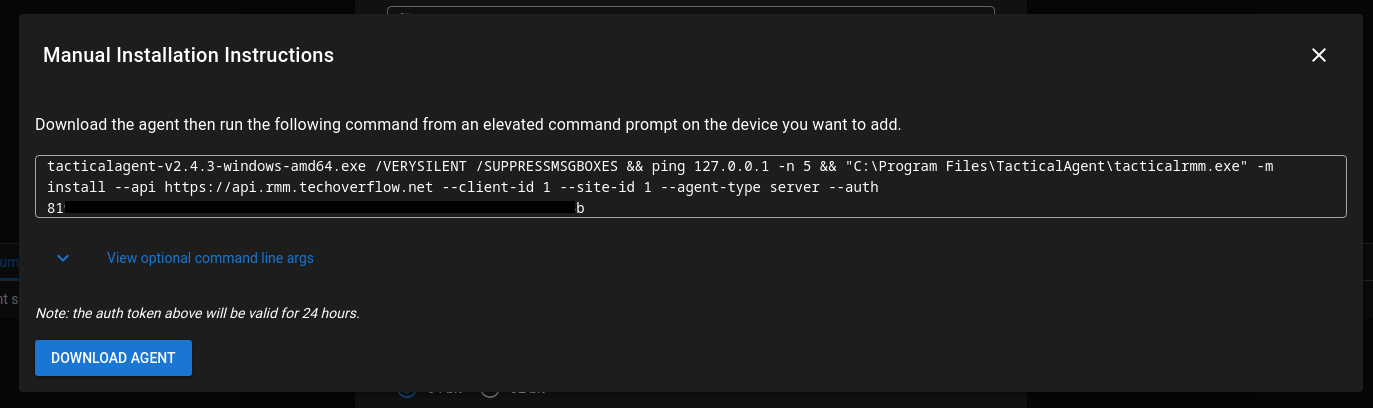
点击 Show manual installation instructions 后,你将看到以下窗口,从中可以复制和粘贴 Client ID、Site ID 和 authkey:
Check out similar posts by category:
Networking, Tactical RMM
If this post helped you, please consider buying me a coffee or donating via PayPal to support research & publishing of new posts on TechOverflow