
如何为 Redmine 问题设置默认查询
这将设置当前项目所有用户的默认查询(你也可以在 My Account -> Preferences -> Default issue query 中设置用户特定的默认查询)
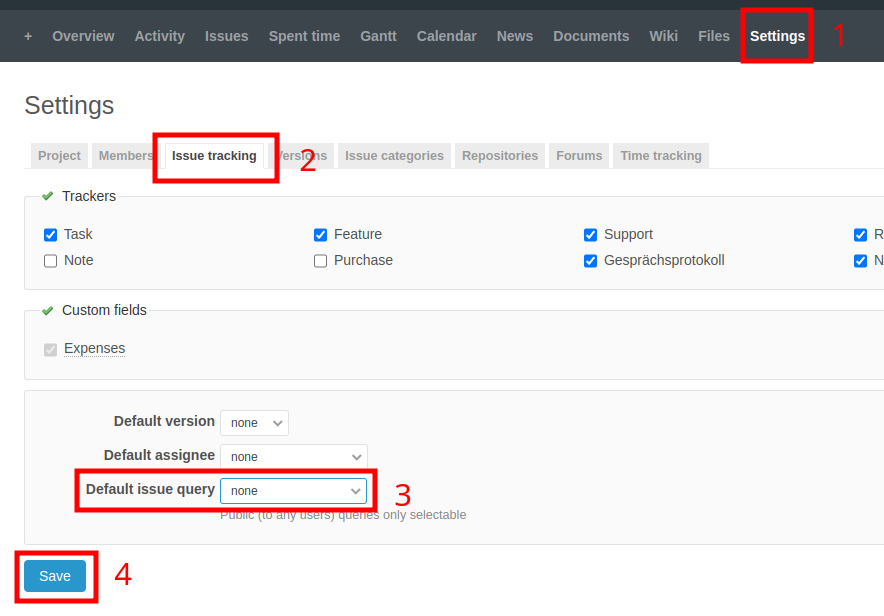
要为 Redmine 项目配置默认问题查询:
- 打开项目设置(1)
- 点击"Issue tracking"选项卡(2)
- 在底部,从"Default issue query"下拉菜单中选择所需的查询(3)
- 点击"Save"(4)
Check out similar posts by category:
Redmine
If this post helped you, please consider buying me a coffee or donating via PayPal to support research & publishing of new posts on TechOverflow