
如何在 GitLab(自托管或 gitlab.com)中更改语言?
要更改你的自托管 Gitlab 实例或 Gitlab.com 的用户界面语言,请按照以下步骤操作:
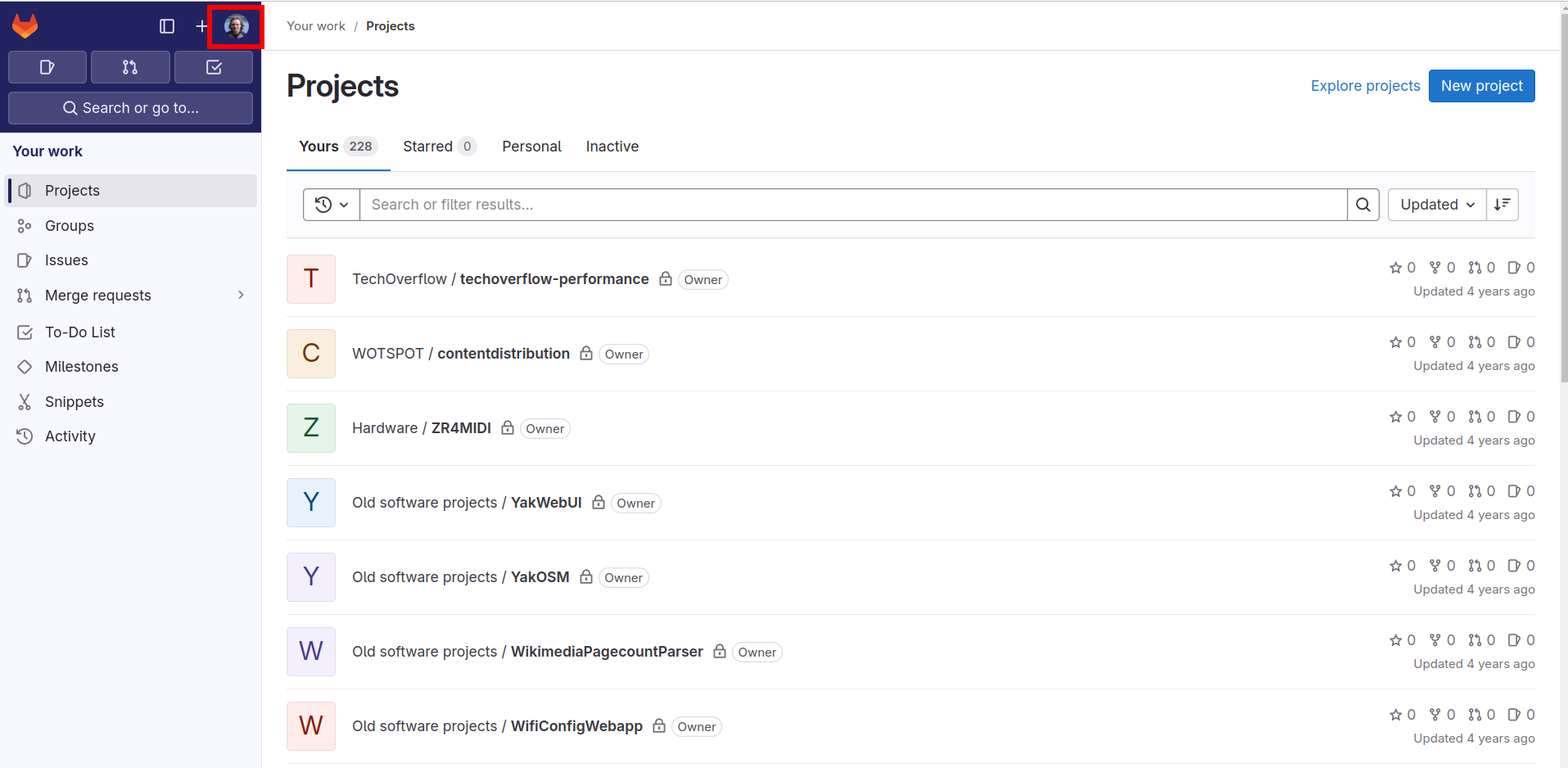
- 点击右上角的个人头像。
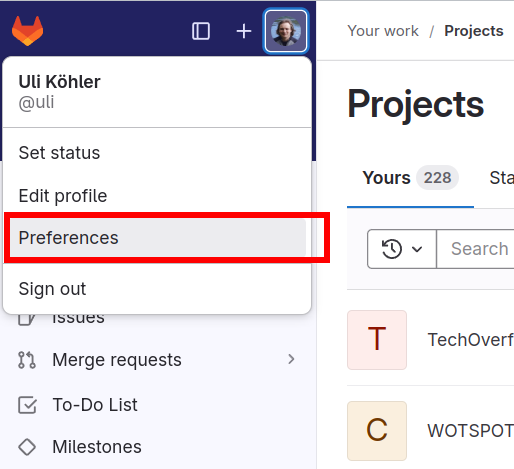
- 在弹出的菜单中点击
Preferences
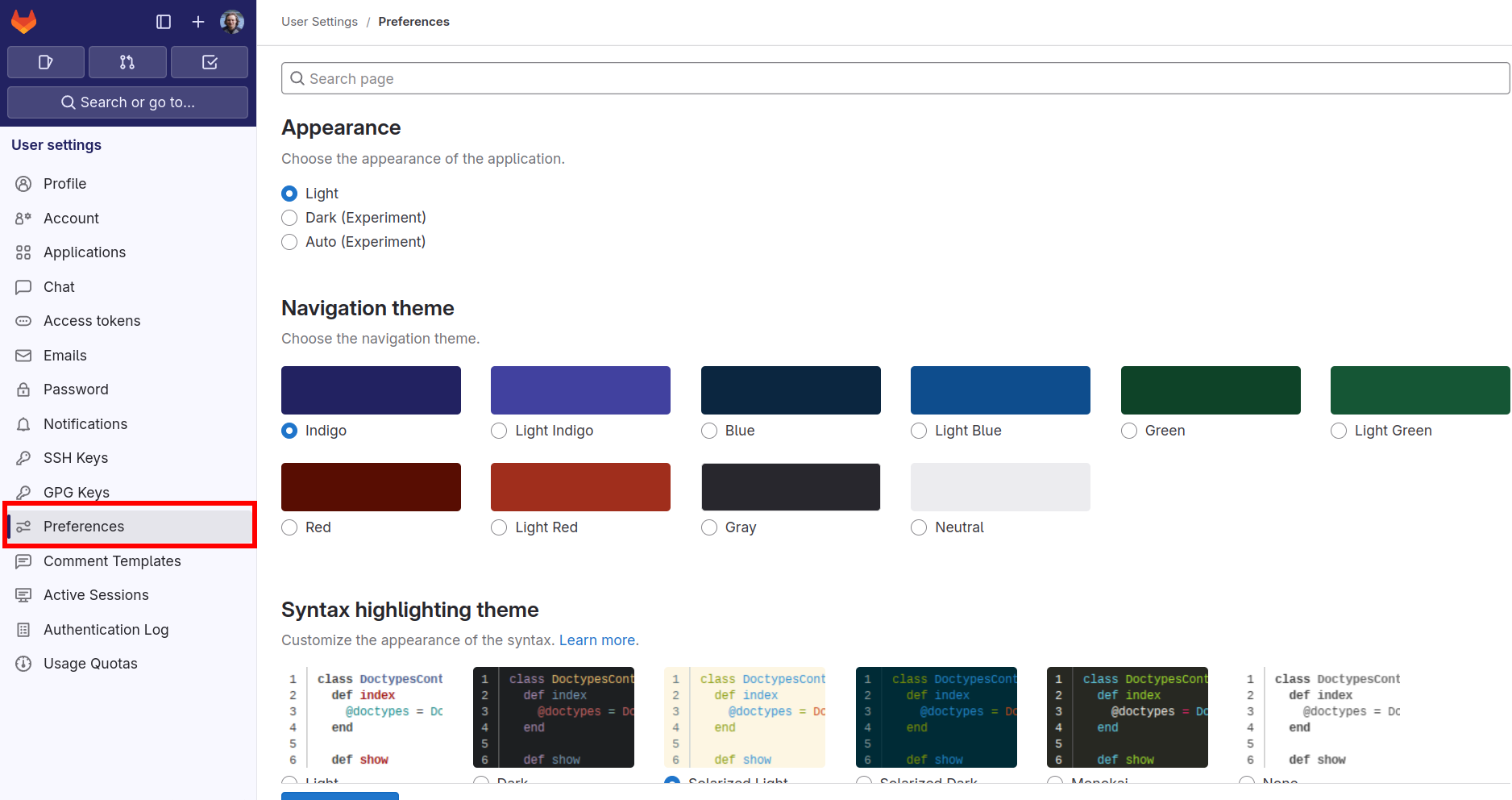
- 在左侧边栏中再次点击
Preferences。
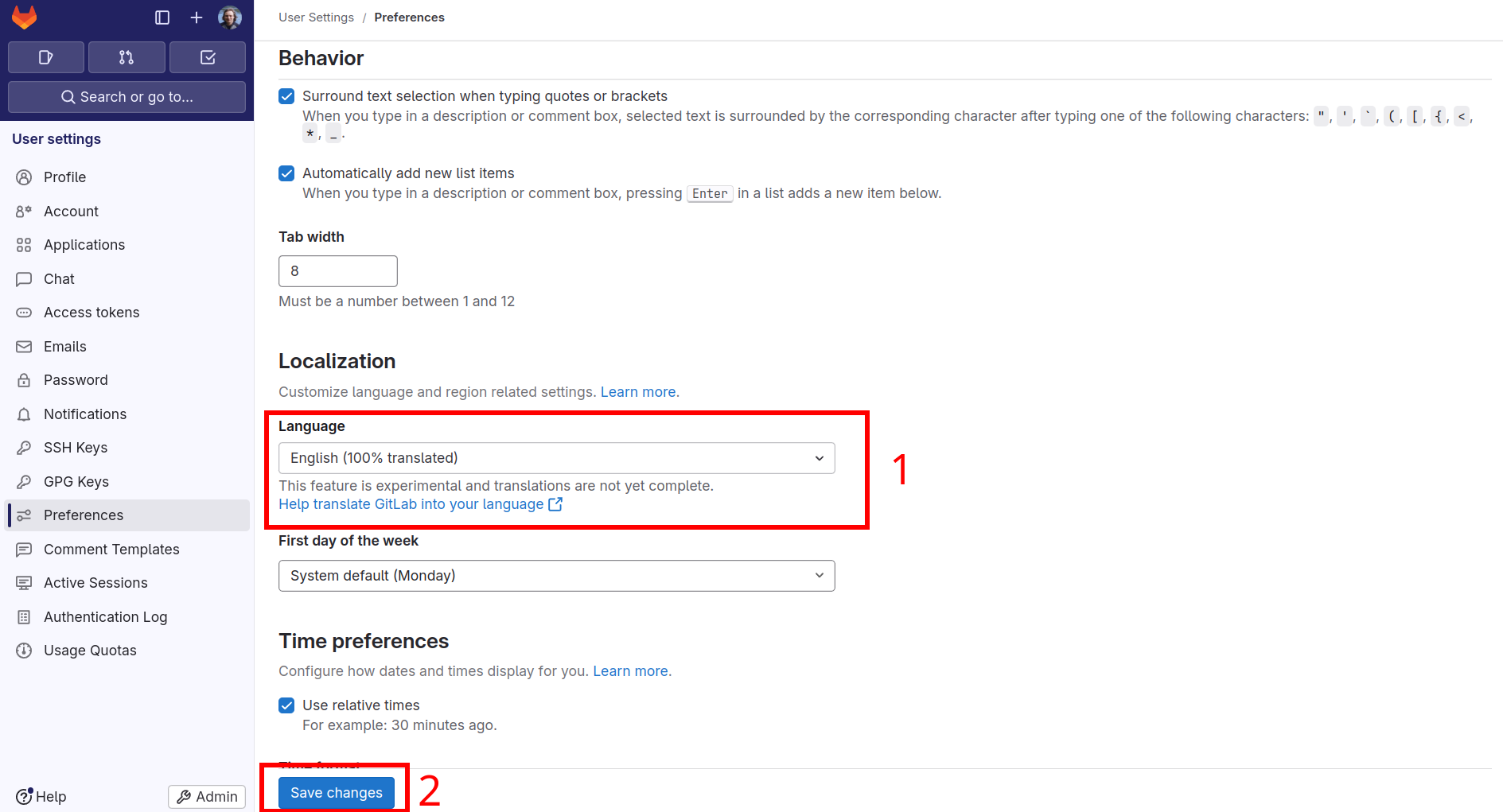
- 向下滚动到
Language部分并选择你喜欢的语言。完成后不要忘记点击页面底部的Save changes。
Check out similar posts by category:
GitLab
If this post helped you, please consider buying me a coffee or donating via PayPal to support research & publishing of new posts on TechOverflow